AI PCs & On-Device AI: The Future of Personal Computing Unlocked
The tech world is buzzing with a new term: the “AI PC.” Every major brand, from Microsoft to Intel to your favorite laptop manufacturer, is heralding it as the next great leap in personal computing. But what does it actually mean? Is this a genuine revolution, or are we just witnessing another wave of marketing hype?
The answer is a bit of both, but the revolution is real. We’re on the cusp of a fundamental shift in how our computers think, work, and interact with us. This isn’t just about running AI chatbots faster; it’s about embedding intelligence directly into the fabric of your device. This is the era of on-device AI, a transformative technology that promises to make our PCs faster, more secure, and infinitely more personal.
In this deep dive, we’ll demystify the world of AI PCs. We’ll break down the core technology that makes them tick, explore the tangible benefits for your daily life, and navigate the new landscape of next-gen computing to help you understand if this is the future you need today.
What is an AI PC? Decoding the Next Generation of Laptops
At its core, an AI PC is a personal computer with specialized hardware designed specifically to accelerate artificial intelligence and machine learning (AI/ML) tasks directly on the device, rather than relying on the cloud.
For years, heavy AI processing happened in massive, power-hungry data centers. When you used an AI image generator or a sophisticated chatbot, your request traveled across the internet, was processed on a remote server, and the result was sent back to you. An AI PC changes that equation by bringing a significant portion of that intelligence home.
This paradigm is often called edge AI, which is essentially the practice of processing data near the source of its creation—in this case, right on your laptop. This local approach is the defining characteristic of this new wave of computing.
The Secret Sauce: The NPU (Neural Processing Unit) Explained
The magic ingredient enabling this shift is a new piece of silicon: the NPU (Neural Processing Unit).
Think of your computer’s brain as having three specialized parts:
- CPU (Central Processing Unit): The brilliant generalist. It’s the conductor of the orchestra, managing the operating system and running most of the applications you use day-to-day.
- GPU (Graphics Processing Unit): The parallel processing powerhouse. Originally designed for rendering graphics in video games, its architecture is also perfect for handling many tasks at once, which made it the go-to for early AI development.
- NPU (Neural Processing Unit): The AI specialist. This is a purpose-built accelerator designed from the ground up to handle the specific mathematical operations required by AI algorithms with incredible efficiency. It can perform complex AI tasks using a fraction of the power of a CPU or GPU.
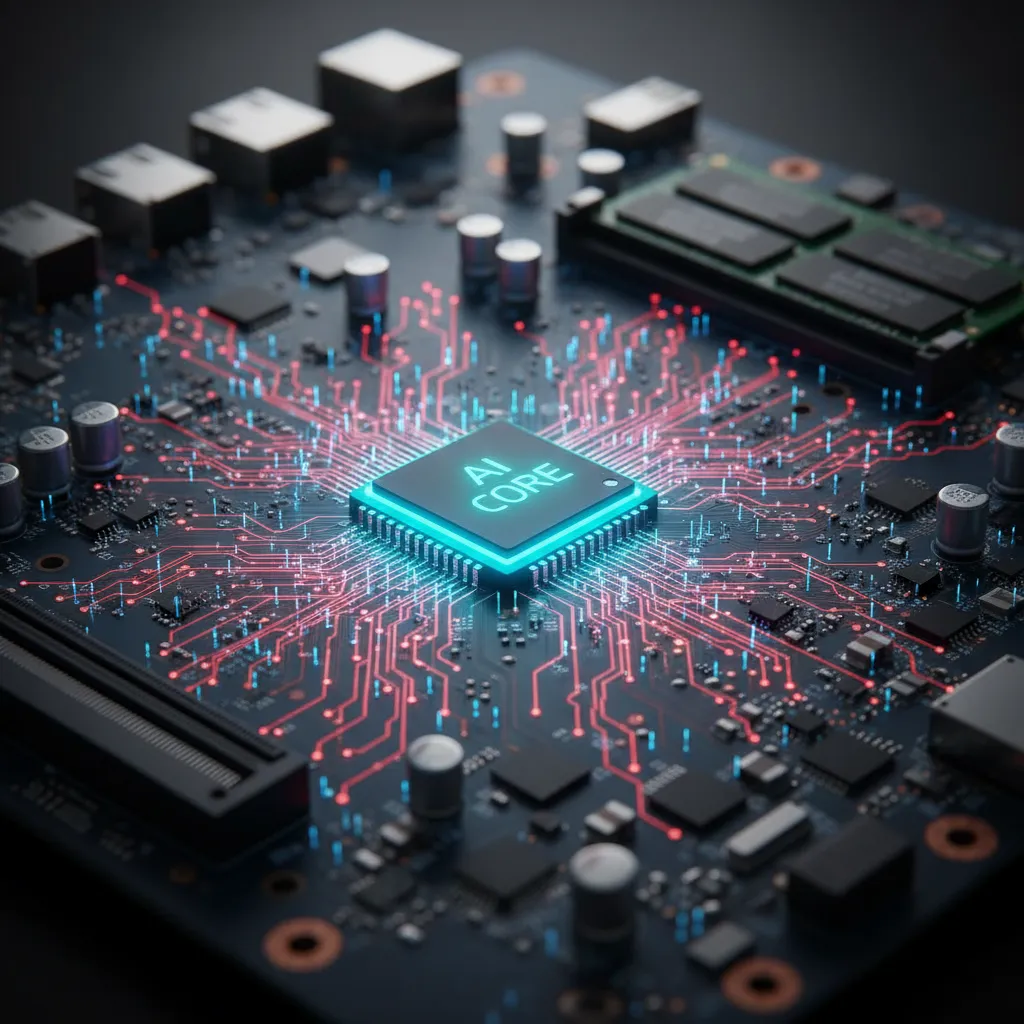
By offloading AI-specific workloads to the NPU, the AI PC can free up the CPU and GPU to do what they do best. The result is a system that is not only more powerful but also significantly more power-efficient, leading to better performance and longer battery life. These specialized AI chips for laptops are the cornerstone of this entire technological evolution.
AI PC vs. Traditional PC: A Fundamental Shift in Architecture
The difference between an AI PC and a traditional PC isn’t just about adding one more component. It represents a new philosophy of computing where intelligence is distributed rather than centralized.
Let’s break down the key differences:
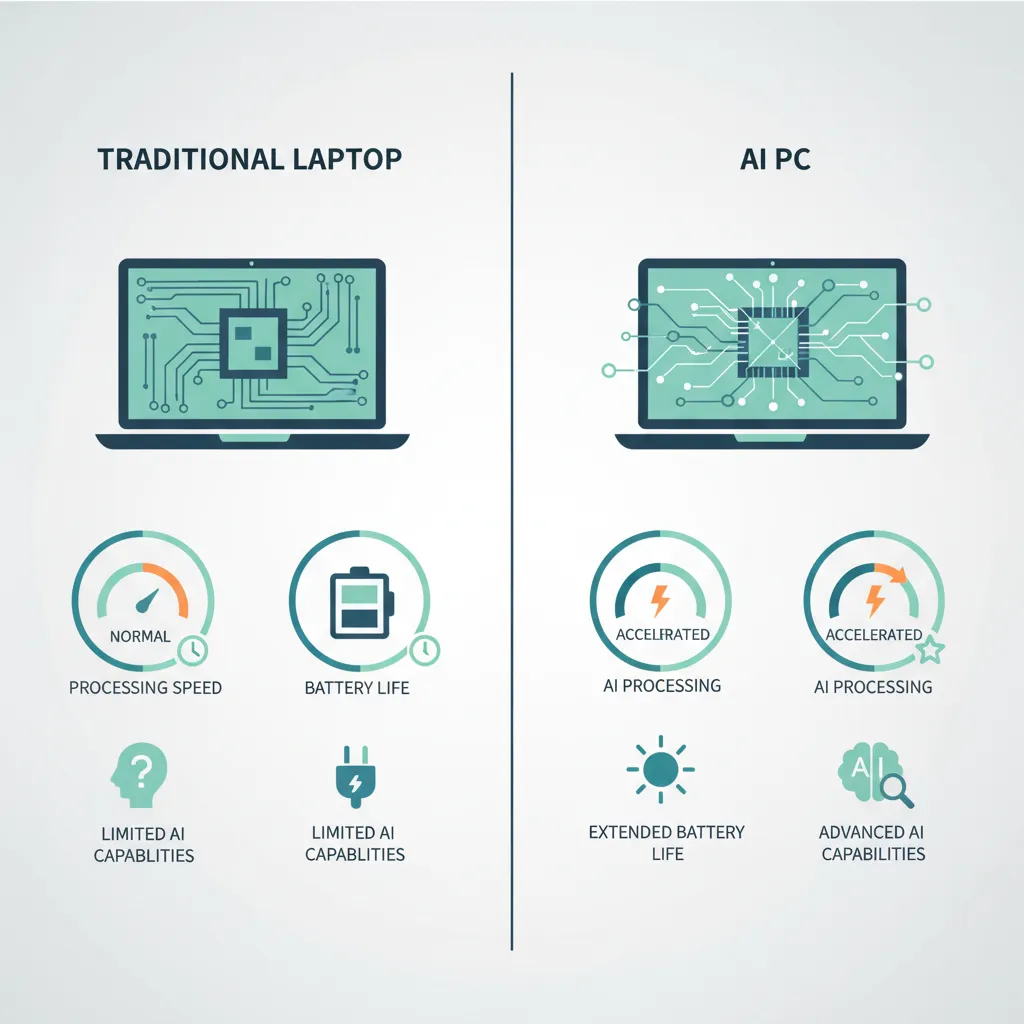
| Feature | Traditional PC (CPU + GPU) | AI PC (CPU + GPU + NPU) |
|---|---|---|
| AI Task Handling | Relies on powerful but inefficient CPU/GPU or sends data to the cloud. | Uses the highly efficient, low-power NPU for most AI tasks. |
| Performance | Can slow down during sustained AI workloads as CPU/GPU are taxed. | Maintains smooth system performance by dedicating AI tasks to the NPU. |
| Power Efficiency | AI tasks can drain the battery quickly by running the CPU/GPU at high power. | Dramatically improved battery life, as the NPU sips power for AI jobs. |
| Privacy & Security | Often requires sending personal or sensitive data to the cloud for AI processing. | Processes data locally by default, keeping your information secure on your device. |
| Responsiveness | Cloud-based AI features have noticeable latency due to internet round-trips. | Instantaneous results for on-device AI features with zero latency. |
| Offline Capability | Most advanced AI features are disabled without an internet connection. | Core AI features work seamlessly offline, boosting productivity anywhere. |
This shift towards local AI processing enables a new class of applications and experiences that were previously impossible on a personal computer.
The Tangible Benefits of On-Device AI: Why You Should Care
So, the technology is clever, but what does it actually mean for you? The advantages of on-device AI are practical, powerful, and poised to change how you work, create, and play.
Unprecedented Speed and Responsiveness
Have you ever waited for a virtual background to apply in a video call or for a smart feature in a photo editor to process? That lag is often due to the cloud. With on-device AI, these actions are instantaneous. The NPU can analyze your camera feed in real-time to blur your background, maintain eye contact, and cancel out background noise without breaking a sweat. This makes the entire user experience feel snappier and more intuitive.
A Fortress of Privacy
In an age of constant data breaches, privacy is paramount. On-device AI is a massive step forward for data security. Because your information is processed locally, it never has to leave your machine to be analyzed by a third-party server.

Think about an AI assistant that can summarize your private emails and documents to prepare you for a meeting. With a cloud-based AI, you’d be sending that sensitive content over the internet. With an AI PC, the analysis happens in a secure sandbox on your own hardware. This benefit of privacy on device AI is perhaps one of its most compelling selling points.
Enhanced Power Efficiency and Battery Life
We’ve all felt the pain of a laptop battery dying in the middle of an important task. By using the hyper-efficient NPU for constant AI workloads (like powering your OS’s intelligent features), AI PCs can deliver a significant boost in battery life. The CPU and GPU can rest or focus on other tasks, leading to a cooler, quieter, and longer-lasting machine—one of the most critical AI PC features.
Powerful Offline Capabilities
The ability to work from anywhere is a modern necessity. Offline AI capabilities mean your most powerful tools are no longer tethered to an internet connection. You can get live translations, transcribe audio, or use creative AI assistance on a plane, in a cafe with spotty Wi-Fi, or completely off-grid. This is a game-changer for digital nomads, field workers, and anyone who can’t rely on a constant connection.
Related: The Rise of Small Language Models: Powering the Edge AI Revolution
The Titans of AI Silicon: Key Players in the AI PC Market
This technological shift is being driven by a fierce competition between the biggest names in tech, all racing to define the AI powered laptops 2024 and beyond.
Microsoft’s Vision: Copilot+ PCs
Microsoft has thrown its full weight behind the AI PC concept with its Copilot+ PCs initiative. This isn’t a specific brand, but rather a new standard for Windows PCs built with powerful NPUs (rated for over 40 TOPS—trillions of operations per second). These machines are designed to run next-generation AI experiences within Windows, such as the controversial “Recall” feature, live translations, and deeper integration of AI into the operating system.
Qualcomm’s Disruption: Snapdragon X Elite
The first wave of Copilot+ PCs is powered by Qualcomm’s Snapdragon X Elite AI chip. This is a significant move, as it’s an ARM-based processor competing directly with x86 chips from Intel and AMD in the high-performance laptop space. Qualcomm is betting on the extreme efficiency of its NPU and ARM architecture to deliver top-tier performance with multi-day battery life.
Intel’s Evolution: Core Ultra Processors
Intel was one of the first to market with a mainstream processor featuring an integrated NPU, launching its Intel Core Ultra AI platform. These chips are already in hundreds of laptop models and represent Intel’s strategy to make the AI PC the new standard for everyone, integrating AI acceleration across their entire product line.
AMD’s Powerhouse: Ryzen AI
Not to be outdone, AMD has its own powerful NPU technology under the AMD Ryzen AI brand. Integrated into their latest mobile processors, Ryzen AI offers competitive performance for on-device AI workloads and is a key player in ensuring a healthy, competitive market for these new devices.
Real-World Applications: How AI PCs Will Transform Your Daily Workflow
Let’s move beyond the hardware and explore the exciting on device AI applications that will soon become commonplace.
For the Professional: The Ultimate Productivity Machine
Imagine a laptop that anticipates your needs. For professionals, AI productivity laptops will be revolutionary.
- Smarter Meetings: Real-time transcription, translation, and summarization of video calls, with AI-generated action items delivered the moment the meeting ends.
- Email Co-pilot: An AI that learns your writing style and can draft replies, summarize long threads, and prioritize your inbox based on genuine urgency.
- Focus Assist: Advanced noise cancellation that eliminates not just your background noise but also the noise coming from other people on the call. Windows Studio Effects can automatically frame you and simulate eye contact, keeping you looking professional.
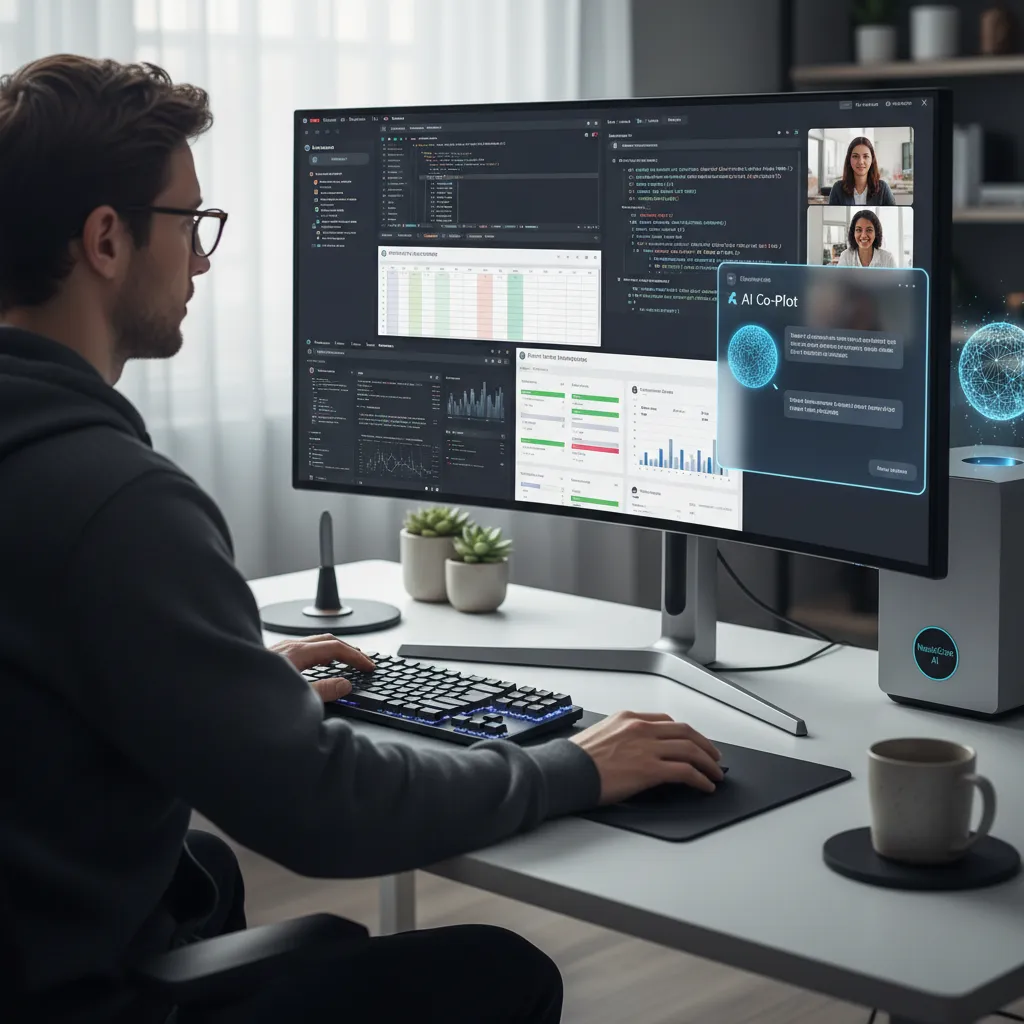
These features, running instantly and privately on your device, will make the AI PC for professionals an indispensable tool.
Related: Streamlining Supply Chains: How AI is Revolutionizing Logistics Efficiency
For the Creative: Your On-Device AI Art Director
For artists, designers, and video editors, on-device AI means more time creating and less time waiting.
- Local Generative AI: Performing creative tasks on an AI PC like generating image variations in Adobe Photoshop or removing objects from a 4K video timeline in DaVinci Resolve will happen instantly, without uploading assets or using cloud credits.
- Intelligent Tools: AI-powered features like subject selection, color grading, and audio cleanup will run in real-time, providing instant feedback and dramatically speeding up workflows.
- Music Production: Real-time voice isolation or instrument separation, and AI plugins that can generate musical ideas without latency.
Related: iPad Pro M4 (2024): The Ultimate Guide for Creatives and Professionals
For the Student: A Smarter Way to Learn
The AI PC for students will be a powerful academic partner.
- Research Assistant: An AI that can summarize dense academic papers, help organize research notes, and generate citations, all offline and privately.
- Personalized Tutoring: Interactive learning apps that can adapt to a student’s progress in real-time without needing an internet connection.
- Accessibility Tools: Enhanced live captioning and translation for lectures, and text-to-speech tools that are more natural and responsive.
For the Gamer: The Next Frontier of Immersion?
While the initial focus of NPUs isn’t gaming, the potential for AI PC gaming is enormous. Imagine game worlds with NPCs (non-player characters) powered by a local LLM on PC, allowing for truly dynamic and unscripted conversations. Or, game physics and environments that react intelligently to player actions, all handled by the NPU to free up the GPU for maximum graphical fidelity.
The Road Ahead: What’s Next for the Future of Personal Computing?
We are at the very beginning of this journey. The launch of the first AI PCs is a watershed moment, but the true impact will unfold over the next few years as software developers learn to harness this new power.
The future of personal computing will be defined by this transformative AI computing. We will see operating systems become truly proactive assistants, applications that intelligently adapt to our workflows, and a level of personalization that was previously science fiction. This isn’t just an upgrade; it’s a new foundation upon which the next decade of digital experiences will be built.
Related: Google I/O 2024: Project Astra, AI Overviews, and the Gemini Ecosystem
Conclusion: A New Era of Computing Has Arrived
The AI PC is not a fleeting trend. It is the logical and exciting evolution of the personal computer—a shift from a passive tool to an active, intelligent partner. Driven by the power and efficiency of on-device AI and specialized hardware like the NPU, these machines offer a compelling trifecta of benefits: superior performance, ironclad privacy, and all-day battery life.
Whether you’re a professional seeking to supercharge your productivity, a creative looking to break free from cloud constraints, or simply someone who values a faster, more secure, and more intuitive computing experience, the AI PC represents a genuine leap forward.
The on-device AI revolution is here. The next time you’re considering a new laptop, an AI PC won’t just be an option on the list—it will likely be the only one that makes sense for the future.
Frequently Asked Questions (FAQs)
What is the main difference between an AI PC and a normal PC?
The primary difference is the inclusion of a dedicated Neural Processing Unit (NPU). While a normal PC uses its CPU and GPU for all tasks, an AI PC offloads artificial intelligence workloads to the highly efficient NPU, resulting in better performance, increased privacy, and longer battery life.
Do I need an AI PC right now?
While you don’t need an AI PC today, it is the direction the entire industry is heading. If you are buying a new premium laptop in 2024 or beyond, choosing one with a powerful NPU is a way to future-proof your investment, as more and more software will be designed to take advantage of on-device AI.
What is an example of on-device AI?
A great example is the real-time background blur or noise cancellation feature in video conferencing apps like Zoom or Microsoft Teams. On an AI PC, this is handled by the NPU, using very little power and having no impact on your computer’s main performance. Another example is running a local AI model for writing assistance or code generation without an internet connection.
Can an AI PC work without the internet?
Yes, and this is one of its key advantages. Many core AI features, like live transcription, smart photo editing, and AI-powered system tools, are designed to run entirely on the device. This means you can access these powerful offline AI capabilities anywhere, anytime.
Are Copilot+ PCs the only type of AI PC?
No. Copilot+ PC is a specific marketing and certification standard from Microsoft for Windows machines that meet a high threshold for AI performance (40+ TOPS from the NPU). However, many other laptops, such as those with Intel Core Ultra or AMD Ryzen AI chips, are also considered AI PCs, as they have NPUs, even if they don’t meet the Copilot+ standard.
How does on-device AI improve privacy?
On-device AI enhances privacy by processing your personal data directly on your computer instead of sending it to a cloud server. This means sensitive information from your documents, emails, or microphone feed never leaves your physical possession, drastically reducing the risk of data breaches or unauthorized access.
What exactly is an NPU in a laptop?
An NPU, or Neural Processing Unit, is a specialized microprocessor designed to accelerate the mathematical calculations at the heart of AI and machine learning algorithms. It performs these tasks much faster and with far less energy consumption than a general-purpose CPU or a graphics-focused GPU.