Apple Intelligence: iOS 18’s New AI Features Explained
Introduction: The Dawn of Personal Intelligence
The term “AI” has dominated the tech landscape for years, but Apple’s approach, unveiled at WWDC 2024, marks a fundamental shift. Rather than offering a generalized, public-facing chatbot, Apple introduced Apple Intelligence—a secure artificial intelligence system designed to be deeply personal, integrated, and private.
This isn’t just a new feature; it’s a foundational layer woven into the heart of iOS 18 features, iPadOS 18, and macOS Sequoia.
Apple Intelligence is engineered to enhance your everyday tasks by understanding your personal context—who you are, who you talk to, where you’ve been, and what you’re currently doing. This allows for unprecedented usefulness, transforming how you interact with your iPhone.
In this comprehensive guide, we’ll explain what is Apple Intelligence, how it revolutionizes the user experience across all Apple operating systems, its groundbreaking approach to privacy via Private Cloud Compute, the stringent requirements for Apple Intelligence compatible devices, and what these powerful new iOS features mean for the future of mobile computing.
The goal isn’t just to add AI; it’s to create an Apple personal intelligence system that anticipates your needs while rigorously protecting your data. If you’ve been wondering will my iPhone get Apple Intelligence or how the new Siri update stacks up against its competitors, read on.
Understanding the Core Philosophy: What is Apple Intelligence?
At its core, Apple Intelligence is a suite of generative models—large language models (LLMs) and diffusion models—that run across your devices and Apple’s secure servers. The fundamental difference from other AI offerings is its focus on personalization through deep integration with your personal semantic data.
The Power of Contextual Awareness AI
Previous versions of AI were generally reactive; they waited for a specific command. Apple Intelligence, however, excels at contextual awareness AI. It leverages a deep understanding of the data stored on your device (emails, calendar entries, photos, messages) to provide relevant, actionable responses.
For example, you could ask Siri to “Pull up the presentation Sarah sent me last week about the Q3 budget,” and Siri would not only know who Sarah is but also search across Mail and Files to locate the exact document, based on the context of the conversation and the content of your files. This capability is powered by a process called semantic indexing Apple, which allows the system to quickly map relationships and meaning within your personal data landscape.
A New Class of On-Device AI Processing
A major pillar of Apple Intelligence is its commitment to running as many operations as possible directly on the device. This on-device AI processing ensures maximum speed and privacy, as the data never leaves the user’s control.
Tasks suitable for on-device processing include:
- Real-time text correction and completion in Apple Writing Tools.
- Image cleanup and object removal in the Photos app.
- Basic search and categorization of local files.
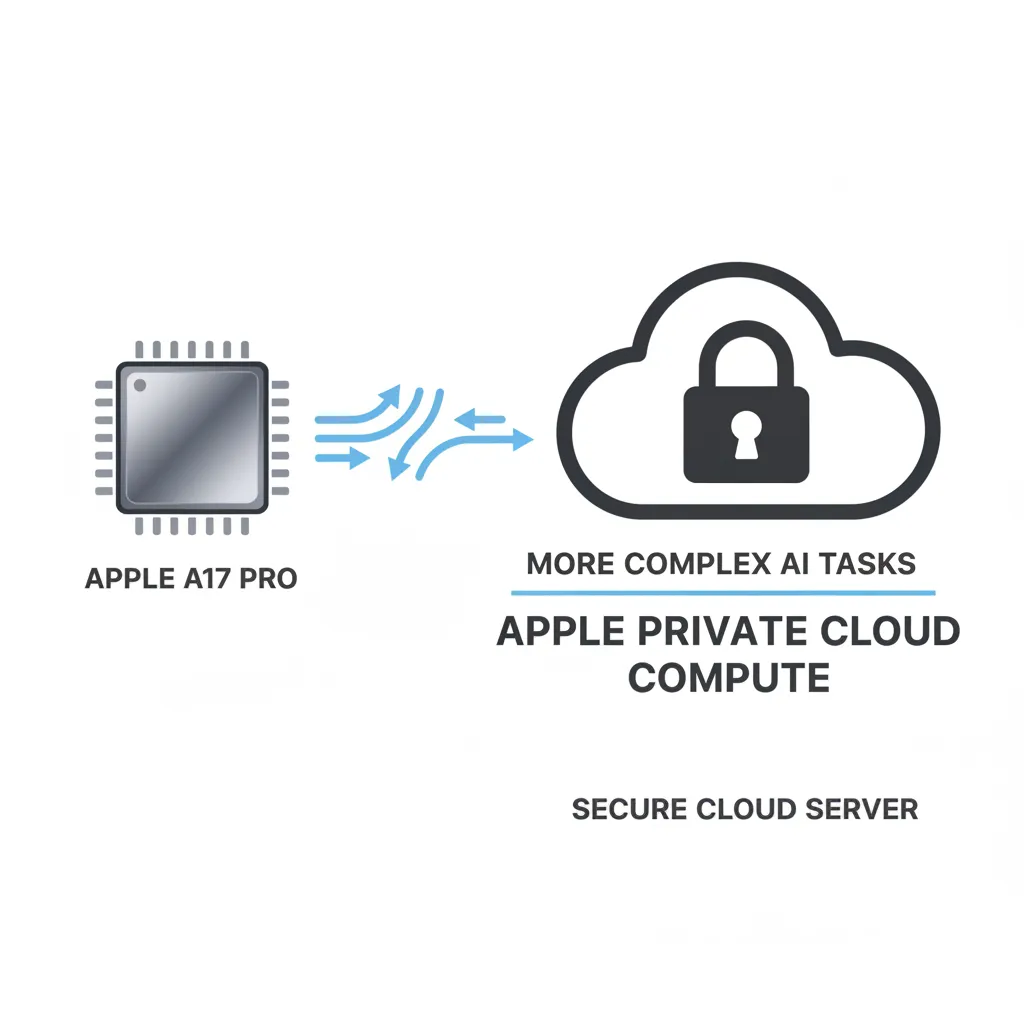
However, complex tasks, such as generating elaborate images with Image Playground or accessing vast external knowledge bases, require more computing power than even the A17 Pro chip can consistently provide. This challenge led to Apple’s most significant architectural innovation: Private Cloud Compute.
[Related: edge-ai-explained-powering-smart-devices-real-time-intelligence/]
The Engine of Trust: Private Cloud Compute (PCC)
For Apple Intelligence to handle complex queries without compromising its privacy promise, the company had to rethink the traditional cloud computing model. The result is Private Cloud Compute (PCC).
PCC is a new standard for cloud privacy. When a request is too demanding for the device’s on-device AI processing, the system securely sends the necessary data segments to Apple’s dedicated, custom-built servers.
The critical security elements of PCC include:
- Ephemeral Servers: The servers are designed to be temporary, utilizing secure enclaves, ensuring that your data is never stored and only used for processing the immediate query.
- Verifiable Security: Apple has stated that the software running on the PCC servers is publicly auditable. Security researchers can verify that the system is doing exactly what Apple claims: using data only for processing and immediately destroying it.
- No Apple Access: Crucially, Apple itself cannot access or read your personal data processed on PCC. The data remains cryptographically linked only to your device, maintaining the principle of secure artificial intelligence.
This architecture allows Apple AI to scale from the speed of the iPhone 15 Pro AI chip to the massive power of the cloud, all while adhering to the highest privacy standards. This commitment sets Apple Intelligence apart from virtually every other consumer-facing AI service.
Siri Transformed: The Next Generation Digital Assistant
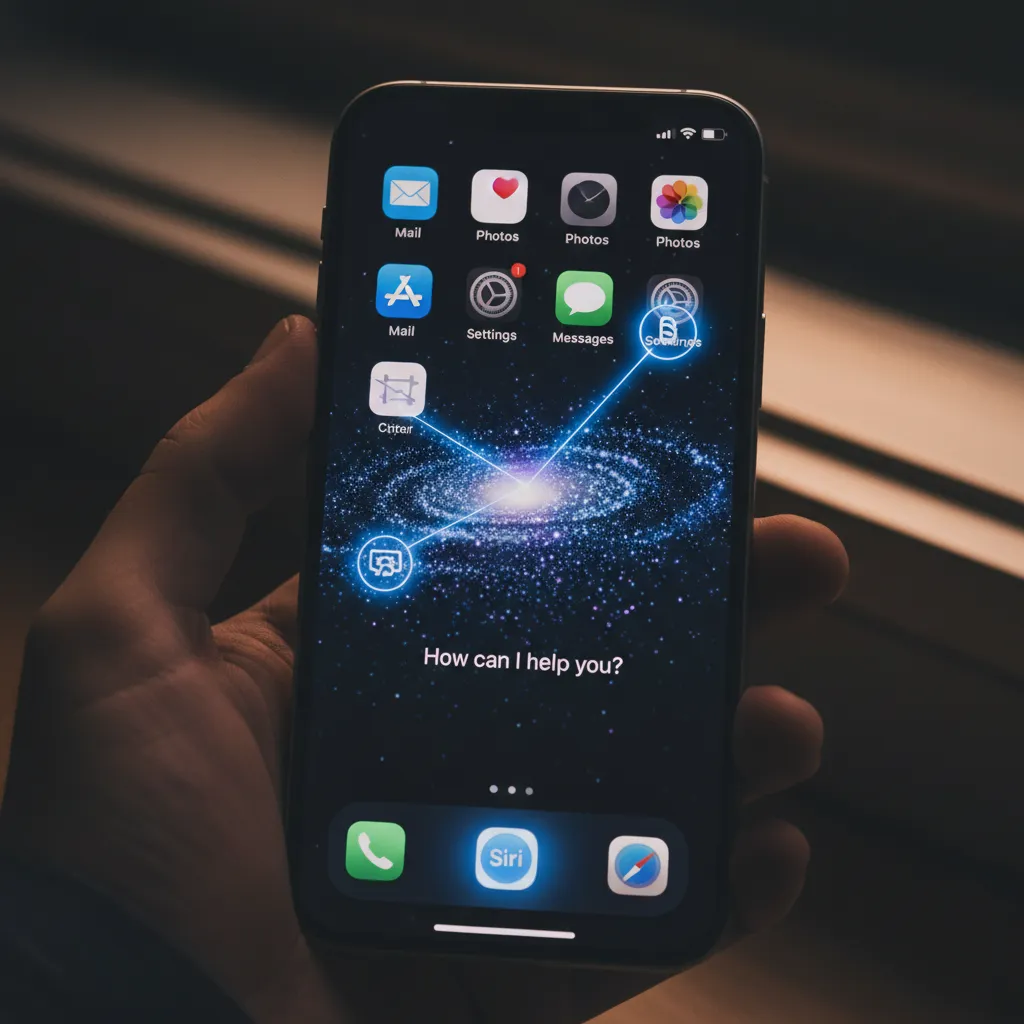
Perhaps the most immediately impactful change of iOS 18 features is the complete reinvention of Siri. The Siri update isn’t just cosmetic (though it features a new glowing border animation); it’s a total overhaul of its capability, understanding, and action-taking ability.
Deep System Integration and Action Capabilities
The new Siri is now deeply integrated across the system, allowing it to take actions inside applications—something previous iterations struggled with.
Examples of the New Siri:
- App Interaction: “Convert this note into a checklist and send it to my spouse.” (Siri can interact with the Notes and Messages apps simultaneously.)
- Settings Management: “Turn on the Dark Mode setting for the Photos app and hide the dock for this specific focus mode.” (Siri gains granular control over settings.)
- Screen Awareness: Siri can now see and understand what is displayed on your screen. You can point to an address or photo and ask, “Save this address to a new contact card,” without leaving the current app. This level of contextual awareness AI makes Siri feel like a true personal assistant.
Siri vs ChatGPT: The Hybrid Approach
A major headline from WWDC 2024 was the integration of external generative models. While most simple requests are handled by Apple’s smaller, more efficient on-device models, some highly complex requests that require general world knowledge are optionally routed through OpenAI’s flagship model, ChatGPT.
This partnership is key to understanding the Siri vs ChatGPT dynamic:
| Feature | Apple Intelligence (On-Device/PCC) | OpenAI Integration (ChatGPT on Siri) |
|---|---|---|
| Primary Goal | Personalization, Context, Privacy | General Knowledge, Advanced Ideation |
| Data Usage | Personal data (Secure, Private) | General queries (Non-personal) |
| Default Model | Apple’s proprietary LLMs | OpenAI’s GPT-4o (as of launch) |
| Trigger | Automatic detection or specific complex queries | User permission required for first use |
The OpenAI integration Apple provides the best of both worlds: the profound personalized knowledge of Apple Intelligence coupled with the expansive, creative power of a leading large language model. This integration is opt-in, and the user is always notified when a request is being routed to ChatGPT, ensuring transparency and data control.
Enhanced Productivity: Apple Writing Tools and Summarization
The integration of Apple AI models into core productivity apps is one of the most practical benefits of iOS 18. This suite of features, collectively known as Apple Writing Tools, aims to streamline communication across Mail, Notes, Pages, and third-party apps.
Rewrite, Summarize, and Proofread
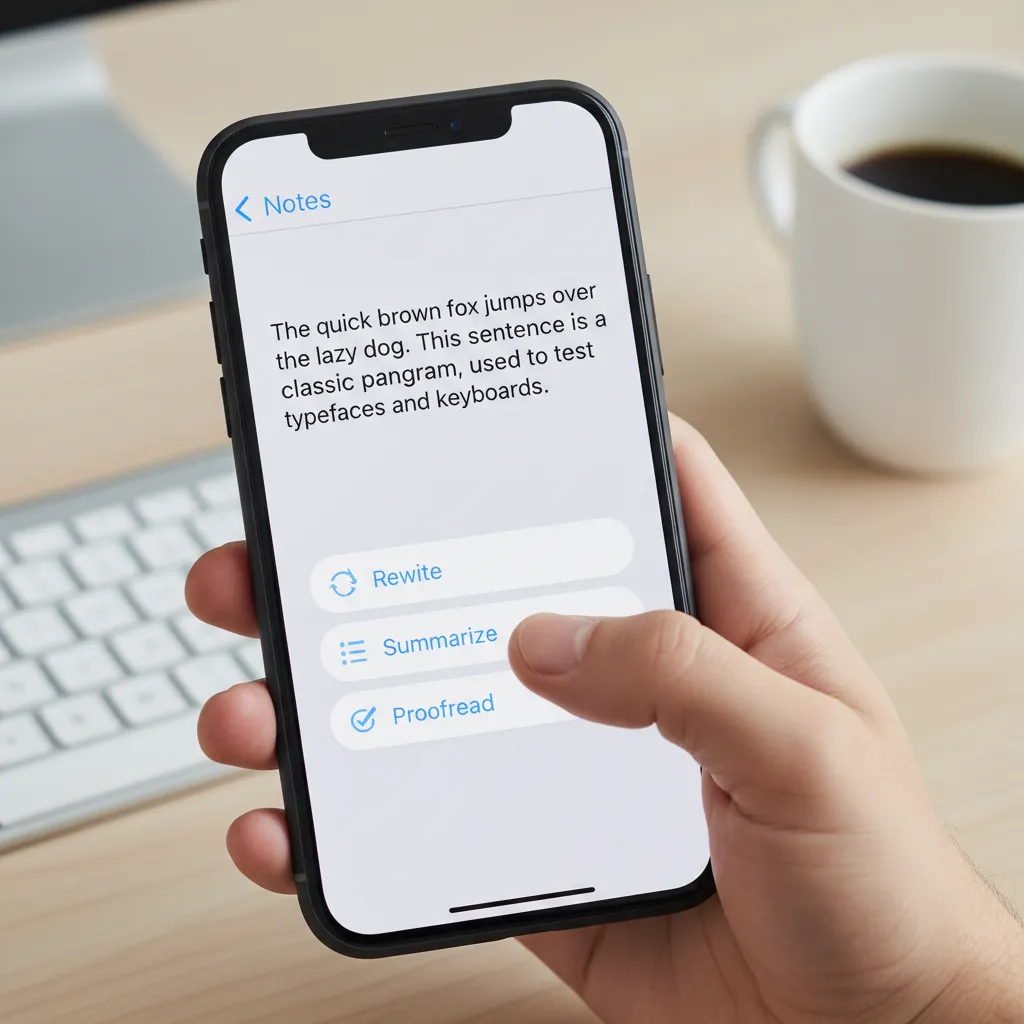
The Writing Tools provide three key functions available wherever you are typing text:
- Rewrite: Allows you to generate variations of your text based on tone and style. Need to sound more formal for a work email? Want to make a casual message punchier? AI handles the transformation instantly.
- Summarize: Instantly condense long documents, email threads, or web pages into key points. This feature drastically cuts down on reading time, especially useful for catching up on lengthy group chats or corporate reports.
- Proofread: A vastly superior grammar and spell checker that assesses tone, clarity, and overall flow, far beyond simple syntax correction.
This deep AI assistance ensures that professional-grade content creation is accessible right from your device.
Creative Expression with Image Playground and Genmoji
Apple Intelligence extends beyond text to powerful generative imagery tools, moving Apple solidly into the creative AI space with a focus on simplicity and fun.
Image Playground AI
Image Playground AI is Apple’s answer to image generation, integrated directly into applications like Messages, Notes, and Freeform. Unlike complex professional tools, Image Playground emphasizes speed and ease of use. It allows users to generate images in three distinct styles: Sketch, Illustration, and Animation.
It is particularly useful for visual communication in real-time, such as creating quick visual aids for a presentation draft in Notes or sending a contextually relevant illustration in a chat. The entire process is handled either on-device or via PCC, maintaining Apple’s commitment to user privacy regarding created content.
The Delight of Genmoji
One of the most engaging new iOS features is Genmoji. This generative emoji feature allows users to type a description and immediately create a custom, unique emoji (or sticker) tailored to the moment.
For example, typing “a sloth wearing sunglasses riding a surfboard” instantly generates that unique Genmoji, which can be shared seamlessly within conversations. This feature exemplifies the blend of powerful generative AI with a deeply personalized and delightful user experience.
AI and Media Management: Photos and Notifications
Apple Intelligence significantly upgrades the functionality of the Photos app and the notification experience, moving toward a truly smart device environment.
AI Photo Editing iOS and Enhanced Search
The Photos app benefits from powerful new tools, utilizing generative fill technology. Key AI photo editing iOS features include:
- Cleanup Tool: Automatically identifies and removes distracting objects or people from the background of photos seamlessly.
- Memory Movies: The ability to generate entire short movies based on themes you suggest, leveraging your personal context to select the best photos and videos and then crafting a narrative arc with music and transitions.
Furthermore, search capabilities are supercharged. Thanks to semantic indexing Apple, you can now search your photos based on concepts rather than just keywords. You could search for “photos from my last trip where I was smiling with the red hat,” and the system understands the complex semantic relationships between the elements.
Priority Notifications and Summaries
The new AI also tackles notification overload. It introduces Priority Notifications, which use Apple Intelligence’s understanding of your context (who is calling, what the message is about, your current location) to surface the most critical alerts immediately.
Furthermore, the system can automatically summarize long notification stacks or large email digests, presenting only the most vital information upfront, greatly improving digital focus and reducing distraction.
[Related: boost-your-mind-top-ai-mental-wellness-tools-apps-calmer-you/]
The Technical Requirement: Apple Intelligence Compatible Devices
One of the most debated aspects of the WWDC 2024 announcement was the strict compatibility list. Not all devices running iOS 18 will support the full suite of Apple Intelligence features. This is due to the demanding nature of the on-device AI processing models.
Why the Restriction? A Matter of Silicon
Full access to Apple Intelligence requires a device equipped with a Neural Engine powerful enough to handle the workload. This means the system is restricted to devices containing the most advanced chips:
- iPhone: Only the iPhone 15 Pro and iPhone 15 Pro Max (featuring the A17 Pro chip) or later models. The A17 Pro includes a powerful 16-core Neural Engine designed specifically for these kinds of intensive machine learning tasks.
- iPad and Mac: Any iPad or Mac equipped with an Apple M1 AI chip or newer (M2, M3, M4 series). These chips offer the unified memory architecture and robust Neural Engine required for PCC and demanding local operations.
If you are asking, will my iPhone get Apple Intelligence, the answer hinges entirely on whether you possess an A17 Pro chip or better. This technical requirement is necessary to ensure the speed, reliability, and most importantly, the privacy guarantee that stems from performing the AI processing locally whenever possible.
This separation of features means that while standard iOS 18 features like customization and basic updates will come to a wider range of devices, the core iOS 18 AI capabilities remain exclusive to the higher-end hardware.
Cross-Platform Ecosystem
The true power of the system shines through its cross-platform integration:
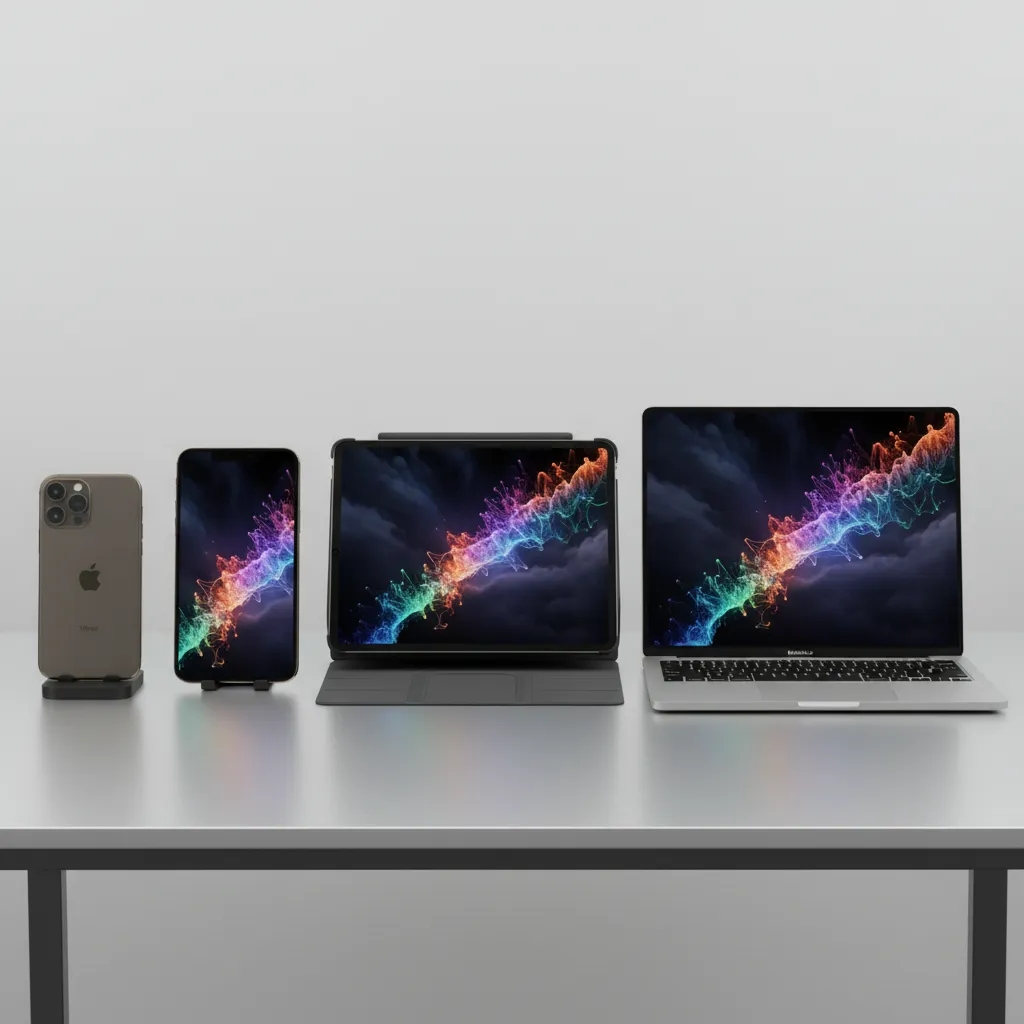
- iPadOS 18 AI features: Bring the same Writing Tools, Image Playground, and enhanced Siri to the iPad, leveraging the M-series chips for superior multitasking AI.
- macOS Sequoia AI: Integrates Apple Intelligence into the Mac workflow, enabling advanced summarization in emails, generative image creation in Freeform, and deep system search capabilities that unify files across all connected devices.
Release Schedule and Future Outlook
The debut of Apple Intelligence is tied directly to the public release cycle of the new operating systems.
Apple Intelligence Release Date
- Developer Beta: Immediately available following WWDC 2024.
- Public Beta: Expected in late summer (typically July). While the initial beta iOS 18 will introduce many visual and core changes, the AI features may roll out incrementally.
- Official Release: The full public launch of Apple Intelligence is slated for Fall 2024 alongside the final versions of iOS 18, iPadOS 18, and macOS Sequoia.
The Future of the Personal Intelligence System
Apple’s venture into AI is a long-term strategy centered on personal context. By defining the system as an Apple personal intelligence system, they signal an ongoing commitment to personalized, privacy-first computing. Future developments are likely to focus on deeper integration with health data, personalized wellness tracking, and even more nuanced contextual awareness AI that blurs the line between human intuition and digital assistance.
This is a monumental step for the company, establishing a clear differentiator in the crowded field of generative AI by championing user security over data monetization.
[Related: ethical-ai-content-creation-navigating-bias-trust/]
Conclusion: A New Standard for Smart Computing
Apple Intelligence is far more than a collection of gimmicky tools; it represents the deepest integration of artificial intelligence ever put into a consumer operating system. By marrying powerful generative models with a revolutionary privacy architecture—Private Cloud Compute—Apple has not just played catch-up in the AI race but has redefined the finish line.
The new iOS 18 features powered by this system—from the vastly improved Siri update and the practical utility of Apple Writing Tools to the creative fun of Genmoji and the privacy of on-device AI processing—set a new expectation for how technology should serve us. It’s intelligent enough to be helpful, and secure enough to be trusted.
For users with compatible hardware (iPhone 15 Pro and M-series devices), this fall will bring a transformative update that makes the iPhone truly a powerful, personalized tool. Prepare to experience the future of computing when the official Apple Intelligence release date arrives.
FAQs: Frequently Asked Questions About Apple Intelligence
Q1. What is the difference between Apple Intelligence and standard AI?
Apple Intelligence is defined as a “personal intelligence system” that uses generative AI models (LLMs and diffusion models) combined with semantic indexing Apple to understand your personal context (emails, contacts, calendar). Unlike general AI, it prioritizes on-device AI processing and privacy via Private Cloud Compute, ensuring personalized utility without compromising security.
Q2. How does Private Cloud Compute (PCC) ensure my data is secure?
Private Cloud Compute is Apple’s solution for complex AI tasks. When a request must be sent to the cloud, it is routed to dedicated Apple Silicon servers that are “verifiably secure.” Data is never stored, and Apple technically cannot access the personal information being processed. It’s an ephemeral, highly secure processing environment designed solely for the immediate task.
Q3. Which devices are compatible with the core Apple Intelligence features?
The full suite of Apple Intelligence compatible devices is limited to those with the necessary silicon and Neural Engine power:
- iPhone 15 Pro and iPhone 15 Pro Max (A17 Pro chip).
- All Mac and iPad models equipped with the Apple M1 AI chip or newer (M2, M3, M4).
Q4. Does the new Siri replace ChatGPT, or do they work together?
The relationship between Siri vs ChatGPT is collaborative. The new Siri update relies primarily on Apple’s own on-device and PCC models for personalized and contextual tasks. For highly complex or general knowledge queries, the system offers optional, opt-in OpenAI integration Apple to route the request through ChatGPT on Siri for a world-class large language model response, while maintaining user transparency.
Q5. What is Genmoji and how is it different from normal Emojis?
Genmoji is a feature enabled by the generative capabilities of Apple AI. Unlike standard emojis, which are fixed characters, Genmoji allows users to create entirely new, custom graphical representations simply by typing a descriptive phrase (e.g., “a grumpy cat wearing a chef hat”). They are saved as stickers and can be used across messaging apps.
Q6. When will I be able to start using Apple Intelligence?
The Apple Intelligence release date is tied to the official public release of iOS 18, which is typically in the fall (September/October) of the launch year. Developers and public beta testers can access early features via the beta iOS 18 program starting in the summer of 2024.
Q7. Will Apple Intelligence work with non-Apple apps?
Yes. Apple has designed the system to be available across all apps using standard system controls. Features like Apple Writing Tools (Rewrite, Summarize) and deep image search capabilities are expected to be available to third-party developers, ensuring that the AI on iPhone experience is seamless, regardless of the application.